MEARIS: Streamlining Complex
Medical Workflows
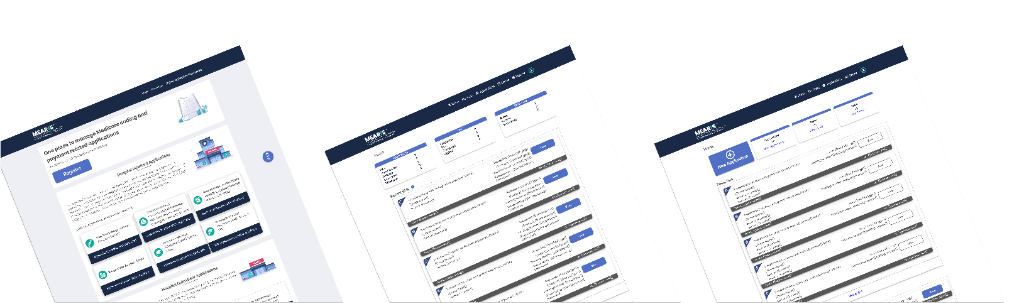
Main Purpose: MEARIS verifies and digitizes complex medical workflows to:
- Reduce errors and save time for applicants and reviewers.
- Preserve context across multi-step submissions.
- Enable RFIs and revisions without data loss.
- Support bulk reporting and event management.
- Provide transparent summaries prior to public comment.
Problem / Context
Before MEARIS, applicants submitted applications via paper and email, resulting in:
- ✕ Confusion about required documents
- ✕ Difficulty tracking multiple submission steps
- ✕ Missing or incorrect attachments
- ✕ Inability for teams to collaboratively prepare and review applications before submission
- ✕ Poor visibility into application deadlines, increasing the risk of late or incomplete submissions
- ✕ Delayed feedback from CMS reviewers
CMS reviewers experienced:
- ✕ Manual consolidation of claims and attachments from multiple submitters
- ✕ Limited visibility into application status and timing across programs
- ✕ Inefficient auditing of submissions
- ✕ Challenges managing events, generating reports, and publishing public summaries
MEARIS Solution
Digitized the workflow with:
- ✓ Multi-step application steppers with inline validation and attachment guidance
- ✓ Team-based application collaboration, allowing multiple users to prepare, review, and submit applications with clear ownership and permissions
- ✓ Consolidated submission views for CMS and applicants, before and after submission
- ✓ Collapsible claims and evidence panels with filters for categories and evidence types
- ✓ Deadline awareness banners within each application, clearly indicating upcoming due dates and submission status
- ✓ RFI and revision workflows preserving prior submission data
- ✓ Event management and reporting interfaces
- ✓ Role-based access for CMS staff
- ✓ Public summaries for NTAP and Device Pass-through, visible before public comment
Applications Covered
ASC, CPL, Pre-Proposed Rule Recommendation Request, Device Pass-through, Drug and Biological Pass-through, GME Slot Distribution (Sections 126, 4122, 5506), HCPCS Level II, HOP Panel Meetings, ICD-10-PCS, MS-DRG, NTAP, APC, TPNIES, TDAPA, Wage Index Appeals.
My Role and Contributions
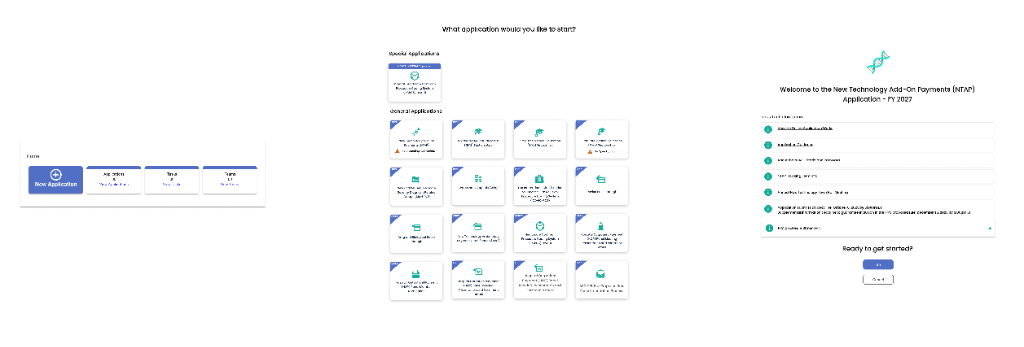
- UX design for multi-step application steppers, inline validation, and attachments
- Mapping NTAP and Device Pass-through claims and evidence workflows
- Designing CMS dashboards with consolidated views, filters, notifications, and role-based access
- Designing RFI and revision workflows, events, reporting, and public summaries
- Conducting user research, workflow analysis, and iterative testing to refine micro-interactions and reduce errors
Guided Steppers & Validation
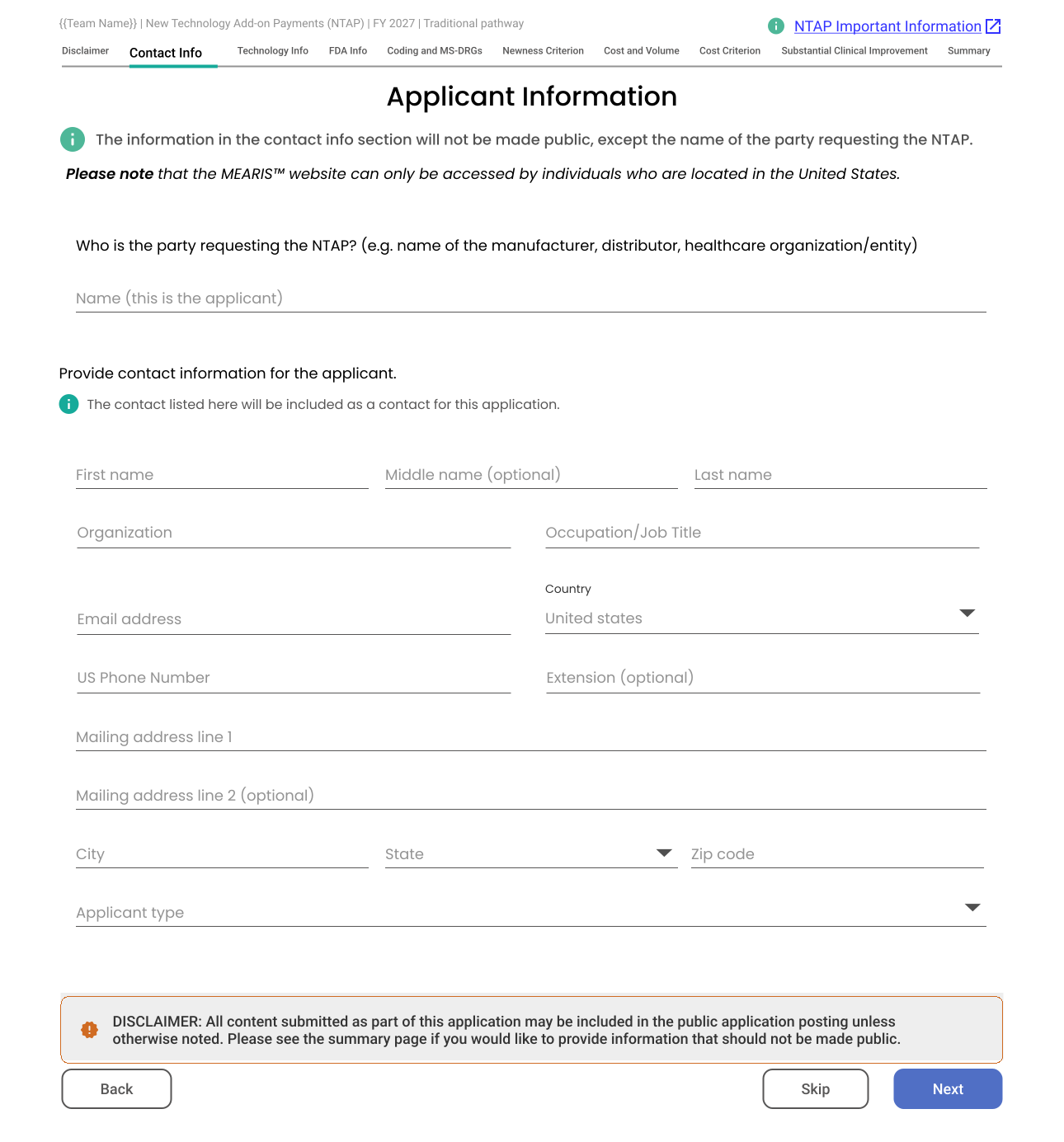
The core of MEARIS is dealing with volume. We broke 40-page PDFs into distinct, logical steps. This reduced cognitive load and allowed us to implement inline validation, significantly reducing errors before submission.
Visual indicators guide users through the distinct stages of the workflow.
Hover over dots for UX details


Toggle above to view the transformation from Entry to Summary
Phase 1: The Application From Input to Insight.
The application process involves handling significant amounts of unstructured data. We designed a two-stage view model to reduce cognitive load.
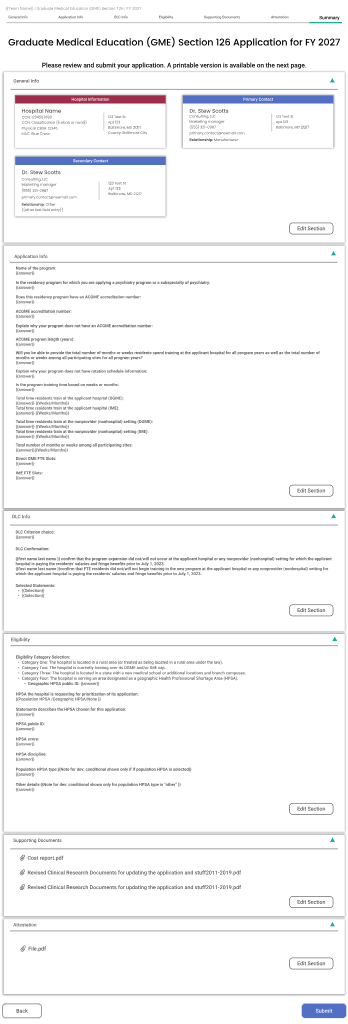
A Step-by-Step Entry
A guided, multi-screen wizard breaks down complex clinical data into focused steps, reducing cognitive load and error rates.
B Consolidated Summary
Before submission, data is transformed into a "Review Card" format, identical to what the CMS reviewer sees, creating a shared mental model.
Phase 2: Pre-Submission Control Coordination & Clarity.
To address the risks of missed deadlines and disjointed team efforts, we introduced global awareness markers and dedicated workspaces.
Persistent, high-visibility banners across the application header ensure users never miss a cutoff, reducing late submissions by providing constant feedback.
A centralized "Team Access" modal allows applicants to invite colleagues, assign roles (Editor vs. Viewer), and manage permissions securely.
Phase 3: The System Transparency & Control.
Once submitted, the interaction model splits to serve two distinct user needs. The Applicant requires transparency and reassurance, while the CMS Reviewer needs a powerful, data-dense command center to process the submission efficiently.
A Read-Only status tracker that eliminates the "black hole" feeling by showing exactly where the application sits in the CMS pipeline.
A high-density workspace featuring inline annotation, RFI generation, and version comparison tools for expert-level processing.
Awaiting Asset
This view features a Linear Progress Tracker showing real-time ingestion from the Application Stepper.
Detailed Analytics
Comprehensive reporting dashboards coming soon.

Phase 4: Managing Scale Events & Reporting.
The system scales to support bulk operations, allowing administrators to manage entire cohorts of applications efficiently.
- 1Event Grouping
Group multiple applications into internal or public events for batch processing.
- 2Outcome Processing
Enter outcomes per application rapidly within the event context.
- 3Reporting & Export
Generate filtered reports (type, status, outcome) and export to CSV.
- ✨Micro-interactions
Multi-selection checkboxes, filter dropdowns, and export confirmations enhance the dashboard experience.
Notes, RFIs, and Revision Requests
Seamless communication loop between Applicant and CMS.
- • CMS adds internal notes, issues RFIs, or reopens steps for revision
- • Applicants see highlighted fields requiring correction while retaining prior submission data
- • Micro-interactions: inline notifications, highlighted fields, submit/cancel behaviors
[Placeholder: CMS Note/RFI Panel]
[Placeholder: Applicant Revision View]
Events and Reporting
- → Group multiple applications into events (internal/public)
- → Enter outcomes per application
- → Generate reports filtered by type, status, outcome; export as CSV
- → Micro-interactions: multi-selection checkboxes, filter dropdowns, export confirmation
[Event Mgmt]
[Reporting]
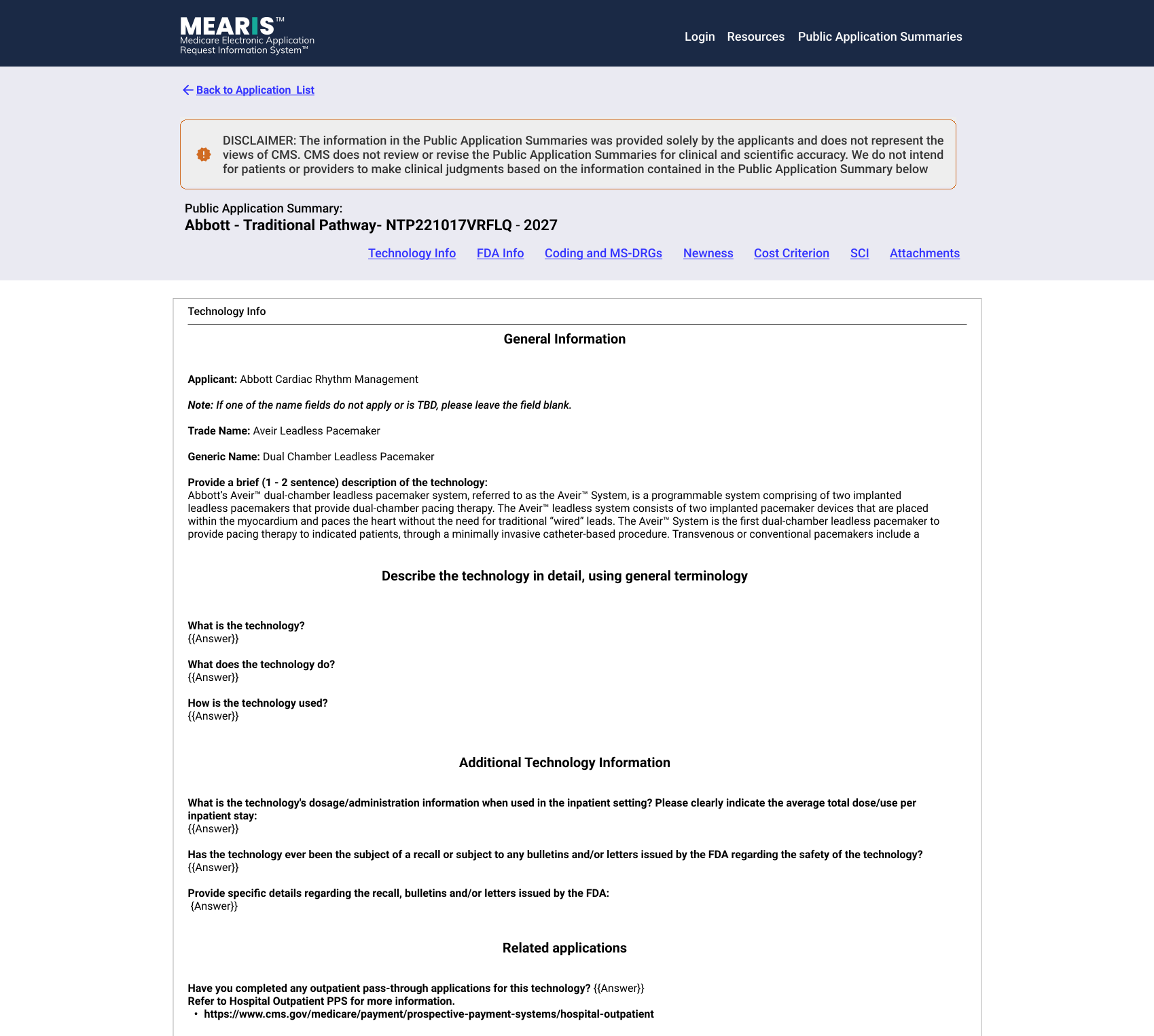
Final Step Pre-Publication & Public Summaries.
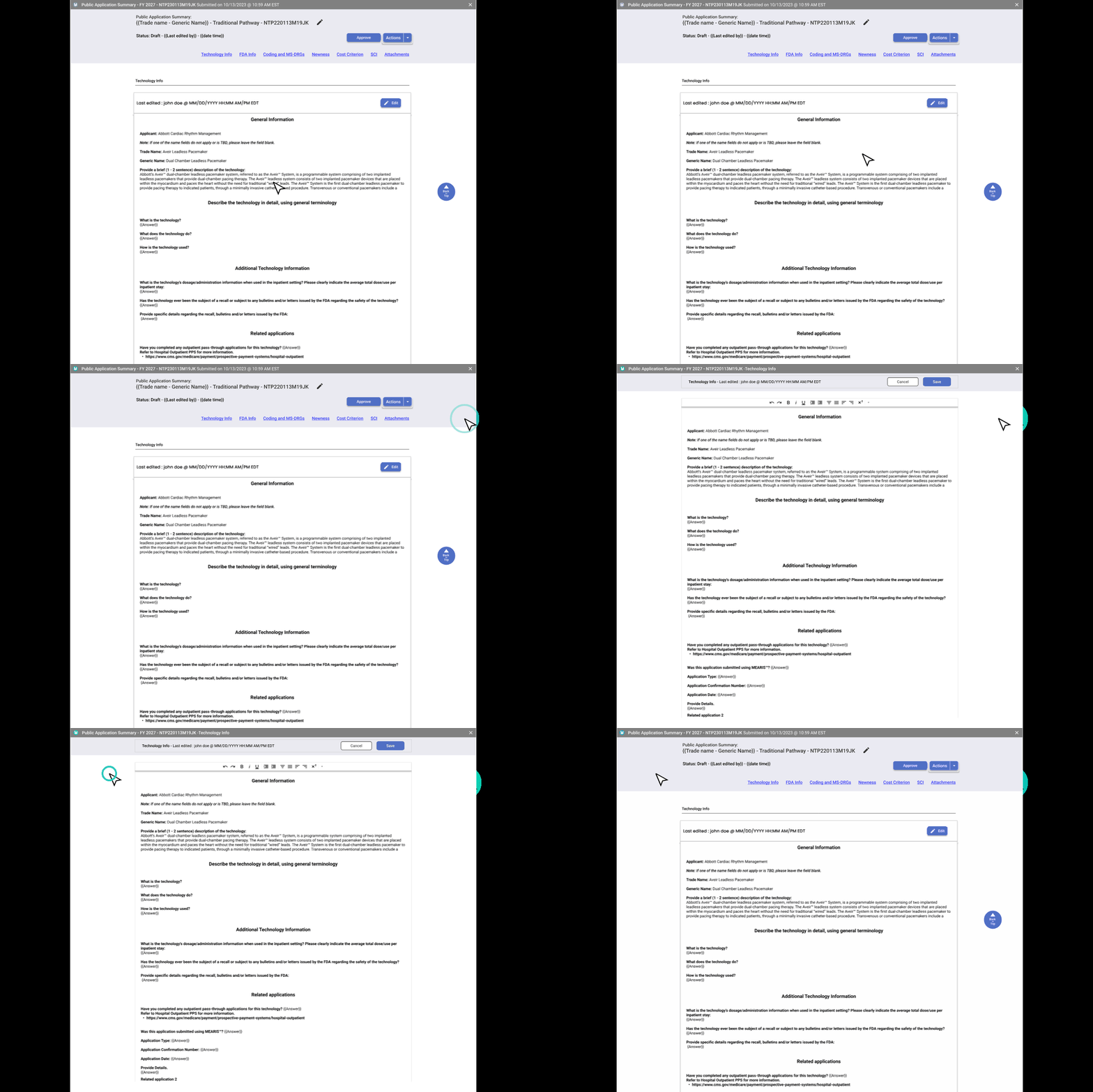
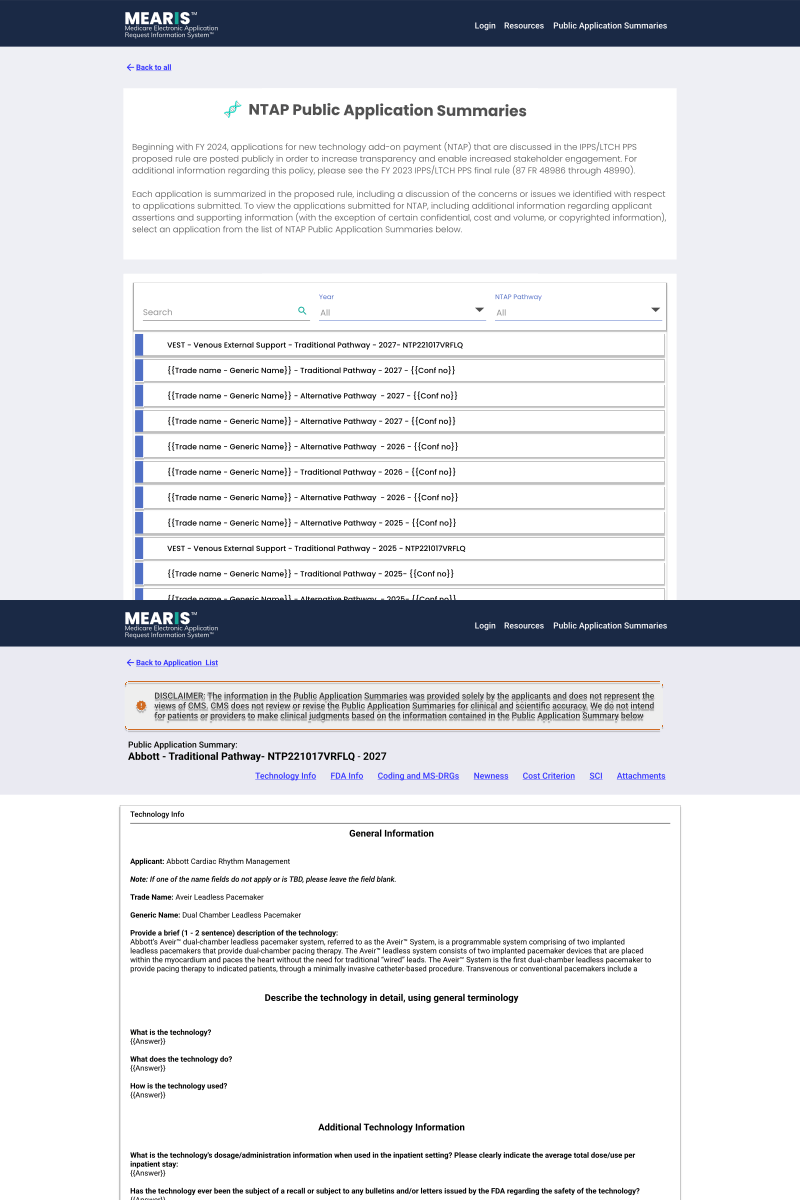
Data accuracy is paramount. To prevent errors before they reach the public, I implemented a dual-view verification system that forces a "human-in-the-loop" quality check.
A. CMS Edit Mode
- Enables real-time correction of auto-generated summaries.
- Live edits are pushed to the staging environment instantly once approved.
B. Public View
- Provides a pixel-perfect preview of the citizen-facing output.
- Reduces legal & compliance risks by verifying links and formatting.
Interactive: Toggle above to view the Governance Model
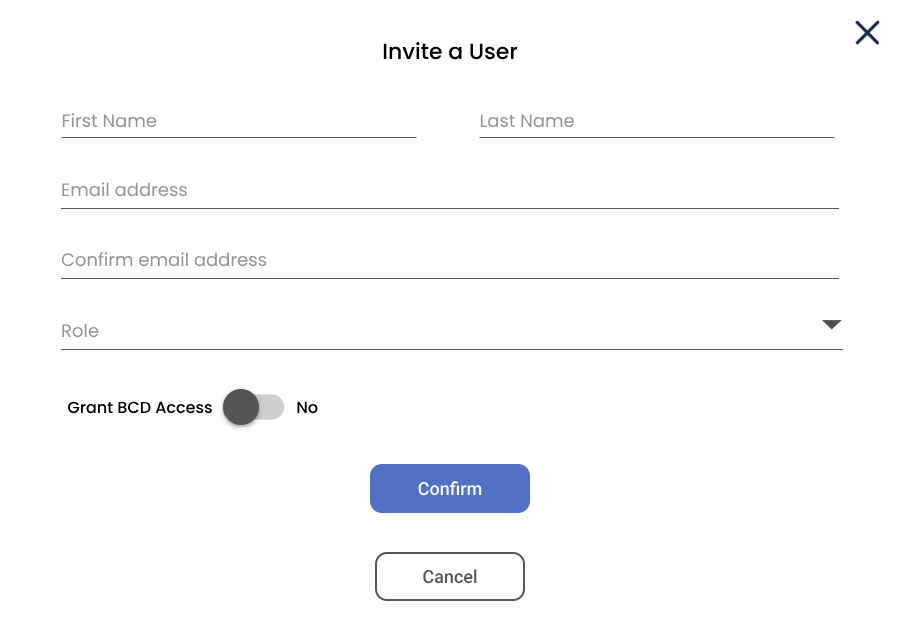
Challenge: Granularity Roles, Permissions & Governance.
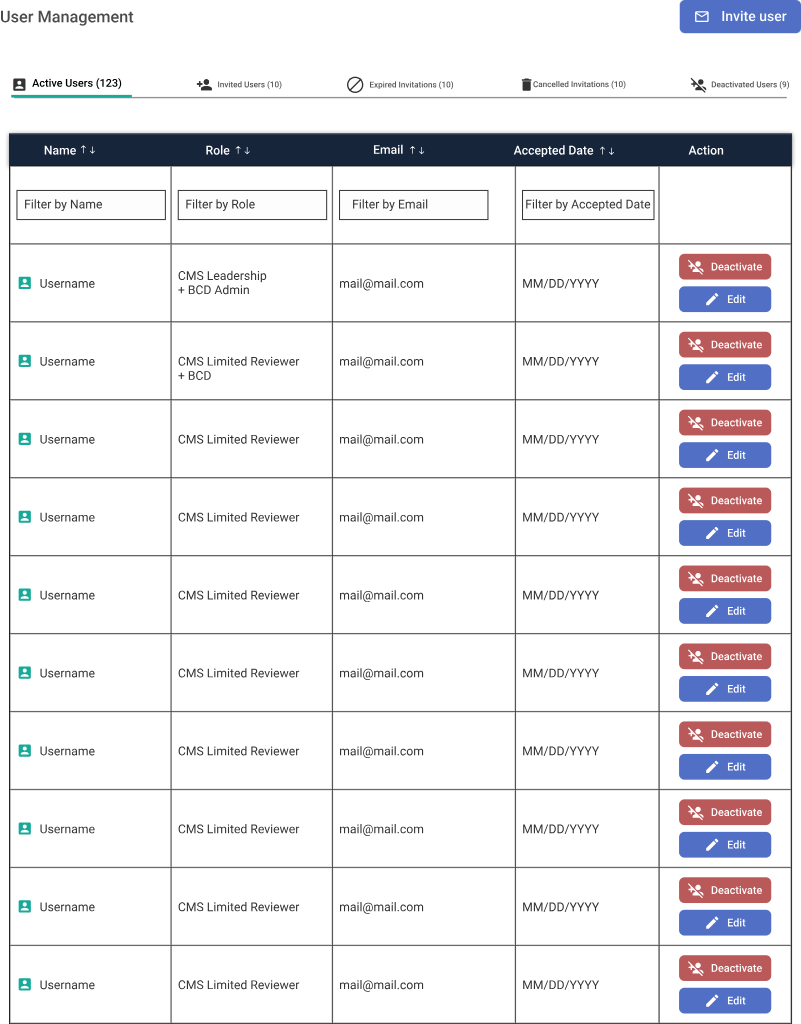
One of the biggest challenges was managing diverse user types with overlapping but distinct permissions. We moved away from broad "Admin" roles to a granular Capability-Based Access Control (CBAC) model.
A. User Management Grid
Top-down view for BCD Admins to manage lifecycle and role assignment.
B. Invitation Flow
Onboarding logic that enforces scope reduction (e.g., limiting BCD access) at the source.
Outcome & Impact
- ✓
Streamlined submission process reduces errors and confusion for applicants
- ✓
Multi-step digital workflows make it easier to track progress and submit required documents
- ✓
CMS reviewers can efficiently consolidate, review, and audit applications
- ✓
RFIs and revision requests handled seamlessly, preserving prior submission context
- ✓
Public summaries provide transparent information for NTAP and Device Pass-through prior to public comment
- ✓
Scalable, maintainable foundation for managing multiple application types across divisions
Key Takeaways
Designing for government requires balancing compliance with usability. Small micro-interactions (like upload feedback) build trust in complex systems.
Consolidated views ("Single Pane of Glass") dramatically reduce cognitive load for expert users who process high-volume data.
Iteration and revision workflows (RFIs) are essential for complex, regulated applications to prevent data loss.
Context-preserving design (collapsible panels) reduces errors and frustration when navigating dense information.
Storytelling follows problem → approach → solution → impact.